SolidWorks course in Bangalore — authorised reseller training.
Cadspro is an authorised SolidWorks (Dassault Systèmes) reseller, training from its Vijayanagar centre in west Bengaluru. Students train on licensed seats, learn the full mechanical-design workflow — parts, assemblies, surfacing, sheet-metal, simulation — and earn a partner-backed certificate. Solidcam and Mastercam run from the same lab.
- Authorised SolidWorks Partner
- Licensed seats — not pirated
- DELL Workstation Lab
- ISO Certified
- Vijayanagar centre
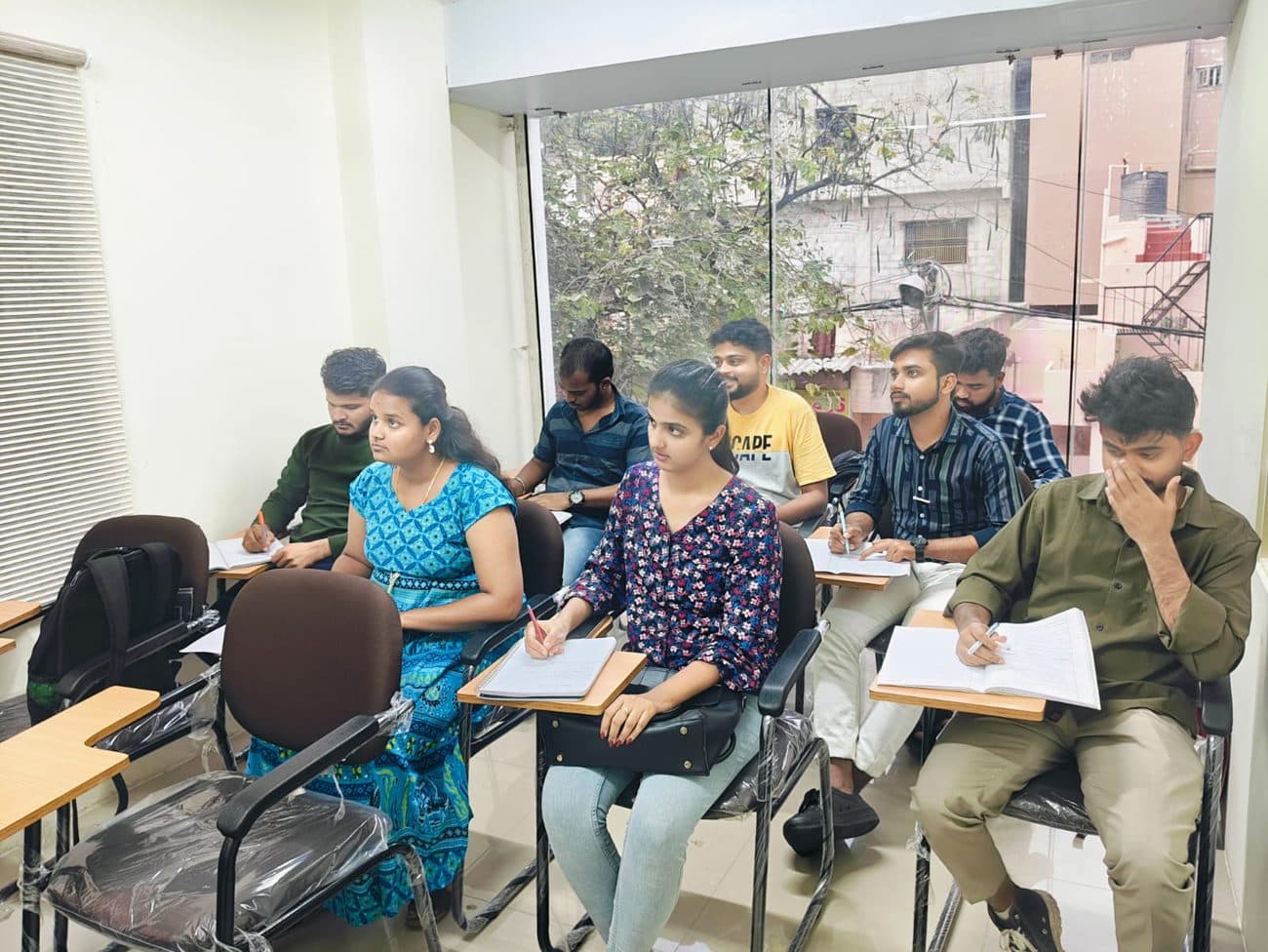
Course snapshot
- Duration
- Confirmed at enrolment
- Mode
- Classroom · weekday & weekend batches
- Tools
- SolidWorks — parts, assemblies, surfacing, sheet-metal, simulation
- Output
- Portfolio of parts, assemblies, sheet-metal layouts and a simulation report
- Placement
- Resume reviews · mock interviews · referrals
- Certificate
- Partner-backed SolidWorks certificate · level confirmed at enrolment
What you'll learn
- 01
SolidWorks fundamentals
Sketcher, dimensioning, relations, planes — the parametric mindset that makes everything else click.
- 02
Part modelling
Extrude, revolve, sweep, loft, ribs, shells, patterns and design intent that survives later edits.
- 03
Advanced part features
Configurations, equations, design tables, library features — the techniques mid-level designers actually use.
- 04
Assemblies & mates
Bottom-up and top-down assemblies, advanced mates, sub-assemblies, exploded views and motion studies.
- 05
Surfacing
Boundary, lofted and filled surfaces, knit/trim/extend — the hybrid solid-surface workflow for consumer-product forms.
- 06
Sheet-metal
Base flange, edge flange, hems, gussets, corner reliefs, flat patterns and DXF exports for laser/punch.
- 07
Drawings & detailing
Drawing views, sectional & detail views, dimensions, tolerances, BOMs, balloons and ANSI/ISO templates.
- 08
SolidWorks Simulation basics
Static analysis on parts and assemblies — meshing, fixtures, loads, contacts and reading FEA results sensibly.
- 09
Weldments & frames
Structural members, trim/extend, gussets, end caps and weld beads — for frames, jigs and fixtures.
- 10
Capstone project
An end-to-end product: parts → assembly → drawings → flat patterns → a basic simulation report. Reviewed by faculty.
The roles students step into.
- 01Mechanical Design EngineerProduct-design roles in mechanical, automotive-component, machinery and consumer-product firms.
- 02Mechanical CAD EngineerCAD/PLM roles maintaining parts, assemblies and drawing standards across mid-to-large engineering teams.
- 03Sheet-Metal DesignerSpecialist roles in enclosures, panels and fabrication-heavy industries — flat patterns into the shop.
- 04Simulation / FEA JuniorEntry-level analyst roles supporting senior engineers on static and basic non-linear studies.
- 05Tool / Jig DesignerDesigning fixtures, jigs and tooling for production — uses weldments, sheet-metal and assemblies daily.
Vijayanagar's training-school advantage.
- 01
We are an authorised reseller
Cadspro is an authorised SolidWorks (Dassault Systèmes) reseller and training partner — your certificate carries that backing. Most institutes in Bengaluru can't say this.
- 02
Licensed seats, not pirated installs
You learn on genuine, current SolidWorks. Your files behave the same way they will at any real employer — no version surprises.
- 03
Surfacing and sheet-metal both covered
Most cheaper courses skip surfacing or rush sheet-metal. We teach both properly because that's where mid-level design jobs live.
- 04
DELL workstation lab
CAD-grade GPUs and CPUs — assemblies don't lag, simulations actually solve. The hardware matches what real design offices use.
Talk to a counsellor today.
- 1 · Callback the same working day. A counsellor — not a call centre — rings the number you give us.
- 2 · Free demo class. Sit in on a live session at the Vijayanagar lab and meet the trainer before you decide.
- 3 · Fees and batch confirmed in writing. Fees depend on the track and batch you pick, so we quote them on the call rather than publishing a number that doesn't match your course.
Vijayanagar, Bengaluru 560040
Diagonal opposite NGT Nati Style Hotel
In Vijayanagar — walk-in welcome.
Vijayanagar, Bengaluru 560040
Diagonal opposite NGT Nati Style Hotel
- RPC Layout · 4 min
- Rajajinagar · 5 min
- Hampi Nagar · 6 min
- Attiguppe · 7 min
- Vijayanagar Metro · 9 min
Common questions.
Where can I do a SolidWorks course near me in Bangalore?
Cadspro's SolidWorks lab is at No 79, 1st Floor, 7th Main Road, Vijayanagar, Bengaluru 560040 — diagonally opposite NGT Nati Style Hotel, about 9 minutes' walk from Vijayanagar Metro and a few minutes from Rajajinagar, Hampi Nagar, Attiguppe and RPC Layout. It is an authorised Dassault Systèmes reseller centre, so the seats are licensed. Walk in Mon – Sat · 9:00 AM – 8:00 PM or call +91 97422 27444.What does a SolidWorks course cost in Bangalore?
The fee depends on whether you take SolidWorks alone or combine it with AutoCAD or the CAM tools, so we quote it on the callback instead of publishing a number that won't match your track. Call +91 97422 27444 or send the form below — you get the figure, the current batch timings and a free demo slot the same working day.Do you teach Solidcam and Mastercam too?
Yes — Cadspro is an authorised partner for both, and they run from the same lab as SolidWorks. Pairing SolidWorks with Solidcam or Mastercam is the usual route for students targeting CNC programming and manufacturing roles rather than pure design; the counsellor sets it up as one combined enrolment.Are you really authorised by SolidWorks?
Yes. Cadspro is an authorised SolidWorks (Dassault Systèmes) reseller and training partner. We can show enrolment paperwork at the demo.Will I get a SolidWorks-branded certificate?
Yes — partner-backed certificate as part of the course. The exact level (CSWA / CSWP route) is confirmed by the counsellor at enrolment based on your background.I'm from a non-mechanical background — can I still take this?
Yes. The fundamentals module assumes no CAD background. Engineering-drawing intuition is taught alongside the software.Does the course cover simulation?
Yes — SolidWorks Simulation basics module covers static analysis. Advanced non-linear / dynamic analysis is a separate add-on.How is this different from AutoCAD?
AutoCAD is 2D drafting + general 3D. SolidWorks is parametric, feature-based mechanical design — that's what product-design and mechanical-engineering roles use.Will you help with placement?
Yes — resume reviews, mock interviews and referrals to hiring partners. Placement isn't guaranteed but the partner-backed certificate genuinely helps shortlists.Is there a solidworks course near me in Bangalore?
Classes run at Cadspro Training Centre, No 79, 1st Floor, 7th Main Road, Vijayanagar, Bengaluru 560040 — Diagonal opposite NGT Nati Style Hotel. That is roughly 4 minutes from RPC Layout, 5 from Rajajinagar, 6 from Hampi Nagar, 7 from Attiguppe and a 9-minute walk from Vijayanagar Metro, so most students come from the west-Bengaluru belt. Walk in Mon – Sat · 9:00 AM – 8:00 PM, or call +91 97422 27444 first if you want a demo class arranged.What are the fees for this course?
Fees depend on the batch you join and on whether you combine this with a second track, so a counsellor quotes the exact figure on the callback rather than us publishing one number that fits nobody. Send the enquiry form on this page or call +91 97422 27444 — you get the fee, the current batch timings and a free demo slot the same working day, with no obligation to enrol.When do batches start, and are there weekend timings?
New batches open through the month rather than on a fixed intake date, and every track runs weekday, weekday-evening and weekend slots — Saturday and Sunday mornings are the most popular with working students. The counsellor confirms which slots currently have seats when they call back.
Related cad & design courses.
Students often combine tracks.
Train on licensed SolidWorks — at an authorised partner.
Book a free demo at the Vijayanagar centre and see the licensed-seat lab for yourself.